












A useful branch office network design starts with applications, endpoints and acceptable interruptions. “We have 50 staff” is a starting point, but it does not specify switch ports, wireless coverage or firewall capacity. This worked example turns that headcount into a reviewable brief.
1. Set the assumptions before choosing equipment
Assume one office floor, cloud-hosted business applications, regular video meetings and occasional visitors. Staff use laptops over Wi-Fi, with 24 separately cabled workstations. Add six IP phones, four printers and four IP cameras. No local application server is assumed; camera recording and retention remain decisions to resolve.
Allow four wired access points (APs) as a provisional budget placeholder. Their final number and positions depend on the floor plan, construction, client mix and survey. Nothing in this example establishes that four APs will cover a particular floor.
2. Convert the endpoint list into a port worksheet
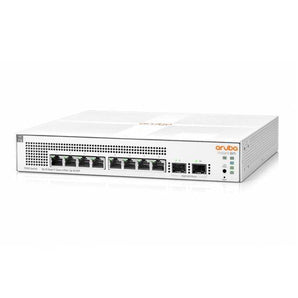
With a separate cable for each workstation and phone, the access-port total is 24 + 6 + 4 + 4 + 4 = 42 ports. Two 24-port access switches provide 48 endpoint ports, leaving six unassigned in this arithmetic exercise.

That count does not select a switch model. Check dedicated uplink interfaces, link capacity, cabling and supported inter-switch design separately. If an uplink consumes one of the 48 copper ports, deduct it. Our enterprise switch selection checklist covers the remaining procurement questions.
Power over Ethernet (PoE) is a second worksheet: count the powered phones, cameras and APs, then verify port capability and usable power for each switch. Refer to our PoE budget planning guide; spare data ports alone do not establish spare power.
3. Keep the traffic path and security boundary explicit
For this example, consider one edge gateway/firewall, two access switches and the surveyed AP deployment. The gateway handles Internet access and routing between security zones. Switches carry the required virtual LANs (VLANs), with inter-zone traffic directed through the enforcement point.
Cisco's Unified Branch Design Guide describes a small-branch pattern built around a secure router, a switch or switch stack, and APs. It defines branch types by architecture; a 50-person headcount does not automatically select one of its hardware combinations. Our quantities remain illustrative.
Write the intended permissions before configuring VLANs. The following is a proposed policy brief, to be adapted to approved services:
A separate Wi-Fi network name (SSID) or VLAN is not the complete access policy. Check the enforcement device's defaults. For example, the Meraki MX firewall documentation states that outbound traffic is allowed by default and explains which inter-VLAN traffic its rules process. Explicitly configure the restrictions required here, and control access to the gateway itself separately.
4. Validate Wi-Fi against the actual work areas
Count concurrent client devices, including staff phones, and identify the busiest meeting room. Survey with representative clients and the proposed AP model. Meraki's site-survey guidance recommends using the intended AP model and recording readings, data rates and interference against a floor plan.
Agree the application's coverage and capacity acceptance criteria before purchase. Test a video call while moving through the intended work areas, and repeat checks under representative load. A connection icon or an AP count is insufficient evidence of application performance.
5. Decide which failures the budget must cover
A second Internet connection can address some WAN outages, but both links still depend on the single gateway in this baseline. Two switches also leave each singly connected endpoint dependent on its own switch. Record those limits rather than calling the office fully redundant.
If the business cannot accept a gateway outage, separately evaluate a supported high-availability design, its wiring, subscriptions and operational requirements. Identify shared power and carrier paths. Specify UPS runtime against the actual load and test recovery; additional hardware does not establish uninterrupted service.
6. Make acceptance observable
- Confirm addressing, DNS, time service and application access from each intended zone.
- Verify that guests can use approved Internet services and cannot reach internal resources or administration interfaces.
- Test the documented phone, printer and recording flows, including expected peak PoE demand.
- Exercise the agreed WAN or power failure, record application interruption and confirm restoration.
- Deliver port labels, configuration backups, administrator ownership and an escalation contact.
Turn the example into your own RFQ
Replace every assumed count with a site inventory. Include the floor plan, application requirements, cabling survey, failure tolerance, security-zone policy and acceptance checklist. Request exact hardware, accessories, software versions, license features and terms, support scope and exclusions as separate quotation lines.
DataDirect Global accepts part numbers, specifications or a bill of materials through its enterprise procurement process. Supply and commercial details are confirmed in the quotation.
Share your branch-office requirements with DataDirect Global