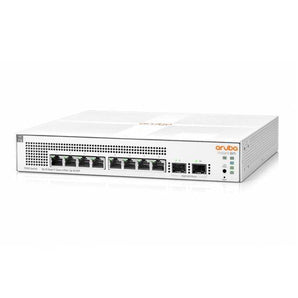













Choosing an enterprise network switch starts with a clear record of what the network must connect, power, and protect. Port count alone leaves important questions unanswered: uplink capacity, Power over Ethernet (PoE), management, recovery, and the complete bill of materials.
Use this enterprise switch selection checklist before requesting quotations. It is a planning guide, rather than a recommendation for a particular model. Exact capabilities must be checked against the selected hardware, software release, and licenses.
1. Define the switch's job
Write a one-sentence requirement: where the switch will be installed, which devices it will connect, and which services depend on it. Separate an office access requirement from a server-room or aggregation requirement before comparing product families.
For context, Cisco's Cloud Campus LAN Design Guide shows switching within a broader campus architecture. Its documented topology is useful background; its platform list should not be treated as a current shopping list for every business.
2. Count endpoints and reserve capacity deliberately
Create an inventory of computers, wireless access points, IP phones, cameras, printers, and other wired equipment. Note the connection speed each device actually needs. Record planned additions separately so that spare capacity has an identifiable purpose.
Do not assume that every user requires one dedicated switch port: shared desks, wireless devices, phones, and specialist equipment can change the count. Equally, a user count can overlook cameras and building systems.
3. Check PoE per port and across the whole switch
PoE supplies electricity through Ethernet cabling. Verify both the power capability of each relevant port and the total budget available to connected devices. A switch with many PoE-capable ports may not power every endpoint at its maximum requirement simultaneously.
HPE Aruba Networking's PoE Planning and Implementation Guide for AOS-CX Switches explains allocation and power-redundancy considerations. The usable budget depends on the platform and power configuration. Ask for the budget available in the intended configuration, including the required failure condition, rather than relying on the power-supply label.
4. Specify the complete uplink connection
Describe both ends of every uplink: switch and interface, required speed, distance, installed cable or fiber, and connector. Ask the supplier to identify the modules and cables included in the quotation. A compatible-looking connector is not enough to establish that the link will work.
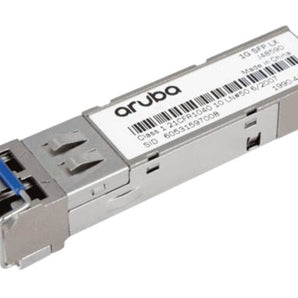
Our optical module selection overview introduces the terminology. For an actual order, verify the exact combination against the current vendor compatibility information and relevant software release.
5. Describe operations and recovery before choosing features
List who will configure, monitor, back up, and update the switches. Ask which management functions work locally, which need a controller or cloud service, and which depend on a subscription. Have the quotation distinguish required licenses from optional services.
Write down the failure you need to tolerate: one uplink, one power supply, or an entire switch. Then ask how the proposed design behaves in that event and how recovery will be tested. Redundant components alone do not establish the availability of the complete network.
6. Turn the requirement into a comparable quotation
Use the same checklist for each proposal. Mark each item as confirmed, excluded, or awaiting clarification:
This structure makes omissions easier to discuss before an order is placed. DataDirect Global's enterprise procurement process accepts part numbers, specifications, or a bill of materials (BOM), with supply and commercial details confirmed in a formal quotation.
Questions to settle before approval
Should every access port be multi-gigabit?
Record the endpoint and application requirement first. Ask the designer to explain which connections benefit from additional capacity and whether the cabling, uplinks, and upstream network support the intended design.
Is a cheaper switch a cheaper complete solution?
Compare the full quoted scope over the same period, including accessories, licenses, support, and required deployment work. Keep uncertain items visible instead of assuming they are included.
Prepare your next switch requirement
A useful starting brief contains a site description, endpoint list, PoE requirements, uplink details, and the date the network must be ready. If you already have a BOM, include the part numbers and quantities.
Send your requirements to DataDirect Global to discuss sourcing options and the technical details that need confirmation before quotation.